
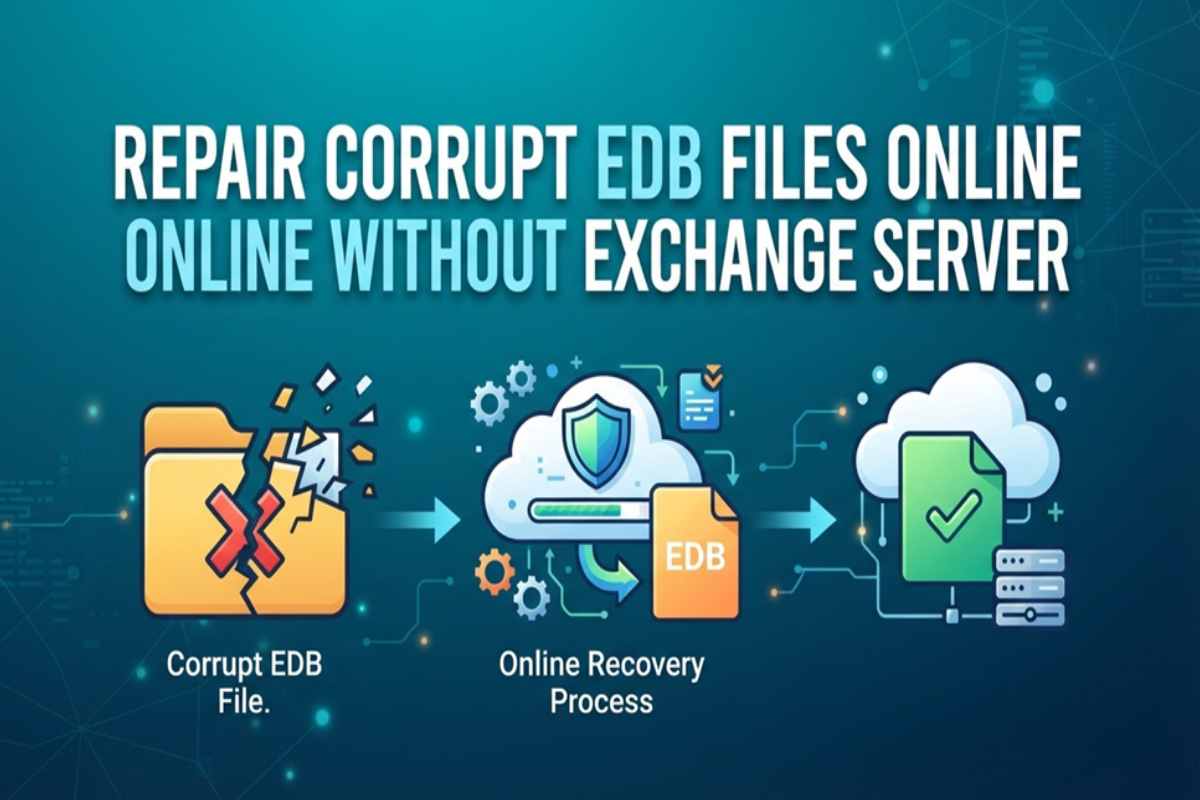
An Exchange Database file lays the foundation for the smooth working of an organization’s communication system. In case the file becomes corrupt, it can pose a severe threat to an organization. At times, the inaccessible or missing data can halt the entire database transactions, bringing the business functioning to a standstill. Moreover, every moment delayed in fixing the corruption can cost your company a fortune. This instantly triggers the need to resolve the error and recover the missing data at the earliest.
Administrators may opt for manual (Eseutil, etc.) or automated methods to resolve this situation. Several third-party desktop applications can also serve this purpose with ease and at comparably lower cost. With the availability of advanced online tools, the repair is now possible over the cloud as well, without the need for an Exchange Server. Let’s discuss this topic in detail.
Eseutil – The manual EDB repair method
Before proceeding with the EDB file repair, check the database state using the Eseutil /mh command. A Clean Shutdown state will indicate that all required transaction logs have been committed. It will require no more recovery action. However, if the status is Dirty Shutdown state, you will still need to replay some transaction logs. In such cases, you can try Soft Recovery first. If that fails due to missing or damaged log files, choose Hard Recovery as a last resort.
- Soft Recovery
Carried out through the Eseutil/r command in the Power Management Shell, this recovery method replays healthy transaction log files to attain a clean shutdown state.
- Hard Recovery
Performed by the Eseutil/P command, admins consider this recovery mode the last option in the case of missing log files or a failed soft recovery. You must have a backup copy of the original EDB and transaction logs before performing this operation.
What are the drawbacks of opting for the Eseutil method?
The native Eseutil method helps to repair the database, but it causes several potential risks:
1. Permanent data loss
A hard repair (Eseutil /p) forcibly deletes corrupt database pages, resulting in the unwarned loss of unreadable emails, attachments, and other mailbox components. This actually leads to more data loss than the actual corruption itself.
- Need for extensive storage space
You must have much more free disk space than the size of your EDB file. The space thus created will accommodate the new temporary database files after running Eseutil /d (Defragmentation) or Eseutil /p commands. This is in addition to the existing original EDB file.
- Significant server downtime
The EDB file repair using the Eseutil method may take considerable time that may range from a few hours to even days. This leads to an unexpected rise in disk I/O and CPU utilization for large enterprise EDB files, causing extended email outages for the users.
- Dependence on the Windows server environment
Running Eseutil repair requires a Windows Server environment in combination with specific Exchange Server DLLS. Moreover, the environment must match the build version of the Exchange database. You cannot run it on any random machine or a non-Exchange server.
- No selective preview or extraction of data
Eseutil does not allow you to inspect, preview, or export specific mailboxes or their contents to PST. It just fixes your database or rolls forward logs.
Repair corrupt EDB files online
To overcome the issues arising during Eseutil and other manual methods used to repair damaged EDB files, admins use third-party online tools. You can install these applications on your system to carry out the repair without installing Exchange Server or seeking any requisite permission.
These applications mostly have a user-friendly interface, making them easy to use. They leverage robust scanning algorithms to repair and recover corrupt EDB files. Nevertheless, installing these desktop apps consumes considerable space on your system.
They need to store several crucial files, including the corrupt and repaired files. In case of repairing large EDB files, the software may slow down the speed of other applications on your machine, or leave less space for other useful files. To remedy this situation, you can opt for an online Exchange repair tool. Here is why:
- Sets you free from depending on software
- Prevents your local computer from freezing or crashing mid-way
- Parallel process through cloud infrastructure
- No need for Windows Administrator permissions
- Encrypted connections to protect mailbox data post-repair
As you can see, this online facility sets you free from installing the repair tool or the Exchange Server on your device. You simply need to upload the corrupt EDB file online to the cloud and initiate the repair process. Let’s find out more about its plus points.
What are the advantages of online repair of corrupt EDB files?
Repairing corrupt EDB files online is better than using manual methods or desktop repair applications in multiple ways:
- Zero installation
These online services process Exchange Database files without the help of an active Exchange Server environment. You can upload the file only directly to the cloud for the resolution of errors like missing transaction log states, dirty Shutdown State, and so on.
- Smooth online workflow
Online repair benefits you from the web-based PST extraction without the hassle of seeking permission or installing Exchange Server at your end.
- Cross-platform compatibility
The cloud-hosted tool allows you to repair any device or operating system. This is unlike Eseutil or desktop repair applications that need proper software installation with administrative permissions.
- No drain of hardware resources
An online tool offloads the task of repairing heavy files entirely to the cloud, thus protecting your hardware resources. You do not have to arrange storage space for storing temporary processing files on your system. It also negates the instances of performance slowdowns, CPU and RAM issues, and excessive repair delays.
- Immediate preview
Most of the online repair tools allow you to preview the inner mailbox structure, emails, and folders for free before purchasing the paid version. This also confirms the integrity of your critical data before opting for the paid Online Exchange Repair tool.
Which online Exchange repair tool would you prefer?
Considering the valuable features of the modern-day Exchange repair tools available online, almost all are worth considering depending on your budget and requirement. Among all these, Stellar Online Exchange Repair is a feasible tool that allows you multiple features in its cloud edition. It performs the following functions:
- Repair files of up to 500MB for free
- Sets you free from installing Exchange Server
- Stellar Online Exchange Repair
- Instantly detects corruption
- Allows users to preview files before downloading
- Preserves mailbox integrity throughout the recovery
- Paid version allows for repairing files up to 5GB and beyond
Conclusion
A corrupt EDB file can stall the functioning of your entire organization, causing a significant loss of reputation and business. Prompt resolution is hence crucial. Admins try several methods to repair the corrupt Exchange Database files and recover the mailbox along with its components. The Eseutil method is one of them. It requires you to perform soft recovery for database repair by using the Eseutil/r command.
If the soft recovery method does not work, hard recovery by using the Eseutil /p command is the last option, which will cause you to lose even more data than in the database corruption. Excessive downtime, infrastructure dependence, and inability to allow the preview of mailbox data before repair further make this method cumbersome. Other manual methods are no different in terms of outcomes.
These factors eventually encourage the administrators to rely on third-party Exchange repair tools. While the desktop applications address the shortcomings of annual methods, they consume much space on your system, especially in the case of large EDB files. To avoid these and many other hassles, trying online Exchange repair tools is a suitable alternative. Of the many tools available on the web, Stellar Online Exchange Repair is a feasible tool in this regard.